Calorie counter and macro tracker
For people tired of starting their food log over.
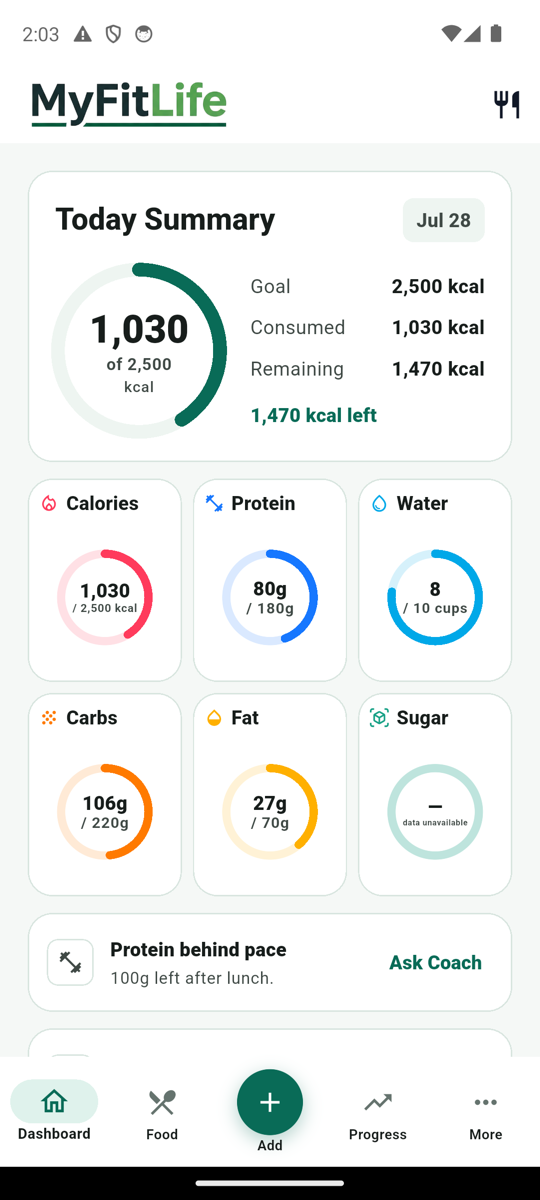
Log food without searching for the same meal three times. Scan a barcode, reuse recent foods, or use a photo—then keep calories and protein visible so you can stay consistent.
A MyFitnessPal alternative for people who want barcode scanning in the free core tools.
Install free. No subscription is required for core tracking, and there is no consumer trial countdown.
New
Included with Premium
Meet Health Central.
Your activity and nutrition, together.
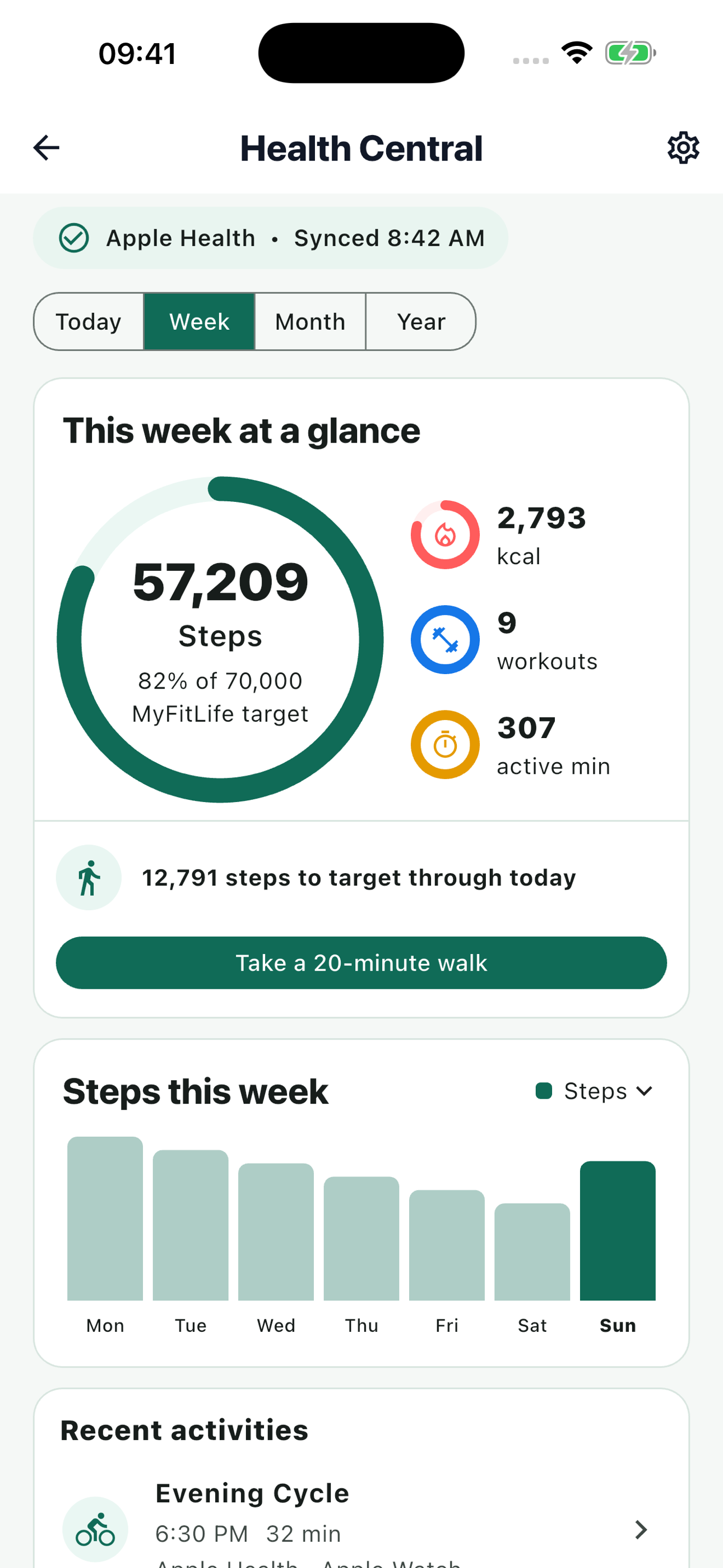
Bring steps, active calories, workouts, and active minutes into MyFitLife through Apple Health or Health Connect. See your activity alongside your nutrition goals.
- Steps & active calories
- Workouts & active minutes
- Today, Week, Month & Year
Available now on iOS. Android update coming soon.
Compatible device and permission required. Available data varies by provider.
Log faster. See the target. Keep the plan together.
Start with the jobs that remove repeat work, then use the supporting tools when the routine calls for them.
Log a meal without repeating the search
Reuse recent foods, scan a packaged-food barcode, take a meal photo, search once, or enter food manually. Barcode scanning is part of the free core tools.
Keep calories and protein in view
See calorie and macro totals while you log, then use progress views to check whether the routine is actually holding.
Turn meals into a grocery list
Save recipes and meals, plan what you will eat, and carry the same ingredients into a checkable shopping list.
Look up the supplement label—not a marketing claim
Search NIH supplement labels by product, brand, ingredient, or barcode, then save the product and keep a simple taken log.
Build a water habit you can review
Track cups, compare archived days, and review hydration beside food and progress.
Track a fasting window in context
Set fasting and eating windows, review history, learn about supported methods, and choose device reminders.
Check the trend, not just today
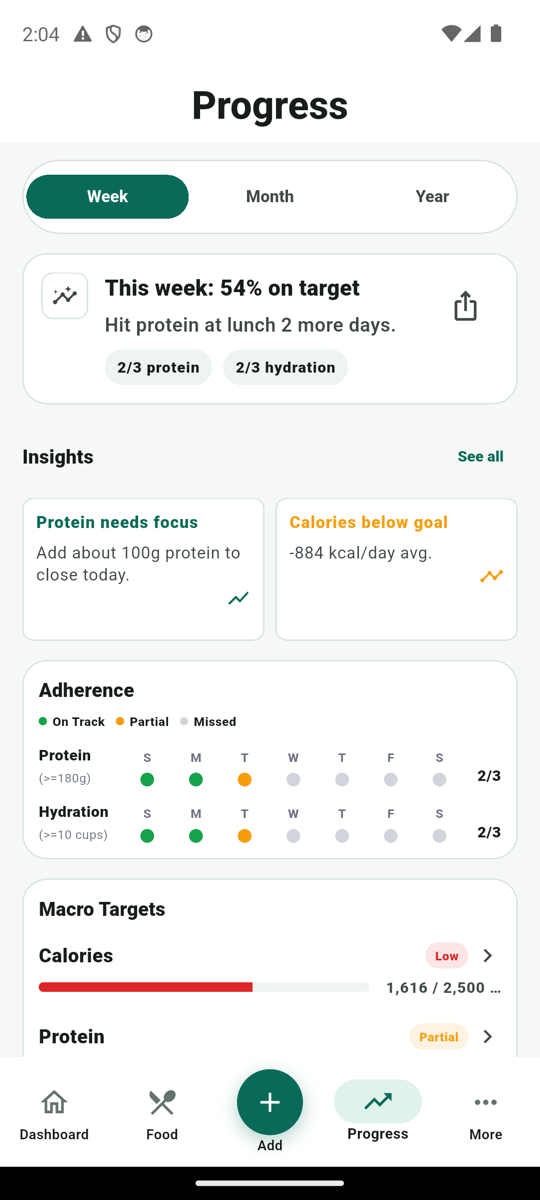
Review adherence, weight trends, protein, calories, water, and archived nutrition logs together.
Ask with your context attached
Coach Milo can use your profile and recent progress for coaching, plans, and quick answers. It does not replace medical care.
The barcode scanner stays in the free core tools.
If you left another calorie tracker after barcode scanning moved behind Premium, MyFitLife gives you barcode scan, recent foods, search, photo-assisted logging, and manual entry without requiring a subscription for core tracking.
Watch a meal move from log to plan to progress.
Three short product tours show the actual screens for quick logging, planning, progress, and AI support.
Quick Log + Hydration
See how the daily Dashboard keeps food search, barcode scanning, quick add, hydration, and recent foods close at hand.
Planning + Progress
Follow the path from MyFit Score and saved meals to pantry planning, a checkable grocery list, and progress patterns.
Coach AI + Premium
Watch Coach Milo use profile and progress context, then turn an idea into a practical meal with Recipe AI.
Guides for logging, planning, and progress.
Build a stronger routine with practical MyFitLife guides for food logging, MyFit Score, hydration, Coach Milo, Recipe AI, and Premium workflows.
Tracking & Progress
Best Food Logging App for Weight Loss: What to Look For
A practical checklist for choosing a food logging app that supports consistency, meal planning, macros, and progress review.
MyFitLife & AI
How to Log Foods Faster With Search and Scan
Use search, barcode scanning, recent foods, and manual entry without slowing down your day.
MyFitLife & AI
How to Use MyFit Score When Choosing Meals
Use MyFit Score to compare foods and meals without losing sight of your daily targets.
Meal Planning & Grocery
How to Plan High-Protein Meals for the Week
A practical framework for hitting your protein target without overcomplicating every meal.
MyFitLife & AI
How to Build a Daily Hydration Habit
Set a simple water routine and track progress from the Dashboard or Hydration page.
MyFitLife & AI
How to Get Better Answers From Coach Milo
Ask clearer nutrition questions and get coaching that fits your current plan.
MyFitLife & AI
How to Use Recipe AI for Weeknight Dinners
Generate or import recipes that fit your targets and can move into your plan.
MyFitLife & AI
What Premium Adds to MyFitLife
A clear look at Premium Health Central, higher AI limits, saved Coach Milo history, and the weekly Meal Planner included free.
Comparing calorie trackers?
For everyday tracking. Not diagnosis or treatment.
MyFitLife is for people who want to log food, watch calories and macros, plan meals, and stay consistent. It is not a medical device and does not replace a clinician or registered dietitian.
Straight answers about free tools, Premium, and scope.
Can I use MyFitLife free without starting a trial?
Yes. Core food logging, barcode scanning, hydration, fasting, supplement-label lookup, weekly Meal Planner, progress, Pantry, Grocery, MyFit Score, and a default daily AI quota are available without starting a consumer free trial. Premium is optional.
Is barcode scanning part of the free tools?
Yes. You can scan packaged-food barcodes as part of MyFitLife core food logging. You can also reuse recent foods, search, use photo-assisted logging, or enter a food manually.
What does Premium add?
Premium adds Health Central with Apple Health or Health Connect, higher daily AI limits for Coach Milo, food-photo analysis, and Recipe AI, plus saved Coach Milo history. Health data depends on your device and permissions.
What is MyFit Score?
MyFit Score is an in-app comparison score for foods, meals, and recipes. It is shown with source and confidence labels and is not a medical rating or a claim that a food is right for every person.
Is MyFitLife medical advice?
No. MyFitLife is an everyday nutrition-tracking and planning tool. It is not a medical device, diagnosis, treatment, or replacement for a clinician or registered dietitian.
Install free. Keep the core tracker free.
Log food, scan barcodes, track macros, and review progress without starting a subscription.