What Premium Adds to MyFitLife
A clear look at Premium Health Central, higher AI limits, saved Coach Milo history, and the weekly Meal Planner included free.
MyFitLife is free to install and includes core nutrition tools plus a default daily AI quota. Premium adds Health Central with Apple Health or Health Connect, higher AI capacity, and saved Coach history.
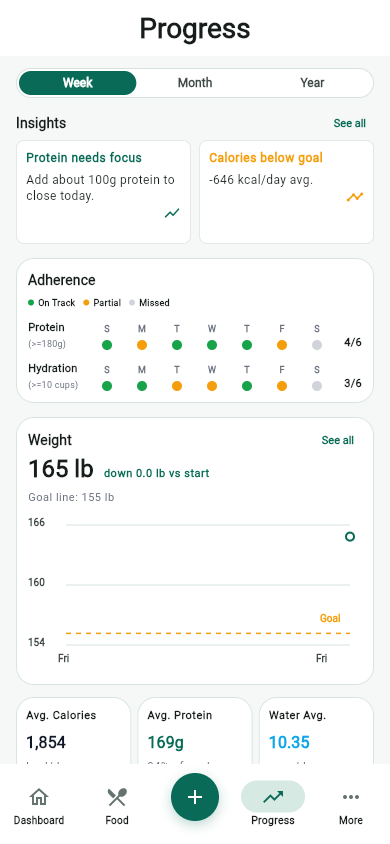
The free version is meant to cover the essential daily routine: food logging, hydration, progress review, recipes, the weekly Meal Planner, grocery planning, MyFit Score, and a baseline amount of AI help. Plan meals, copy the previous week, log planned meals, and build grocery lists without a subscription. Premium adds Health Central, higher AI limits, and continuity across coaching sessions.
Health Central
Health Central is available in the current public MyFitLife listings on iOS and Android. The App Store lists version 1.3.7, and Google Play describes Build 31 with Premium Health Connect features. Availability checked September 11, 2026; compatible device, permissions, and Premium access are required.
With Premium, connect Apple Health or Health Connect to review steps, active calories, workouts, and active minutes in Today, Week, Month, and Year views. Filter activity history and expand the periods you want to review. Available data depends on your device, provider support, and permissions.
Calorie target adjustment and sharing Health context with Coach Milo are separate choices, both off by default. Optional calorie credit uses only the provider-reported daily active calories; steps never create calorie credit, and workout calories are not added again. Health disconnect and data-only deletion remain available after Premium ends.
Higher AI limits
Premium raises the daily AI limits for Coach Milo, food photo analysis, and Recipe AI workflows.
That matters most on days when you want several AI actions in one workflow. You might ask Coach Milo for a lunch adjustment, use photo logging for a meal, and generate a dinner recipe from ingredients you already have.
More room for Coach Milo
Coach Milo is useful for quick questions, but it becomes more valuable when you can ask follow-ups. Premium gives heavier users more capacity to refine a plan, compare options, and come back to useful coaching threads.
Saved Coach Milo history
Premium keeps useful Coach Milo conversations available across sessions so you can return to previous plans, prompts, and answers.
Saved history is helpful when a nutrition question turns into a routine. If a prompt helped build a grocery list, adjust protein, or plan a week of meals, you can reuse that conversation instead of starting over.
Premium AI workflows
The most useful premium pattern is not one isolated feature. It is the way the AI tools can work together: photo analysis for fast logging, Coach Milo for decision support, and Recipe AI for meals that can move into Pantry and Grocery.
- Use food photo analysis when search or manual entry is too slow.
- Ask Coach Milo for a practical adjustment based on the day.
- Generate or import recipes when you need a plan for dinner.
- Save useful coach questions so good prompts are easy to reuse.
Who should stay on free
Free is the right starting point if you mainly need logging, hydration, progress, the weekly Meal Planner, grocery lists, and occasional AI help. You can build the daily habit first, then upgrade when Health Central, higher AI limits, or saved history would help.
Who gets more value from Premium
Premium is a better fit if you want Apple Health or Health Connect activity context, use Coach Milo frequently, rely on photo logging, generate recipes often, or want coaching history available across sessions.
- Start with the free tools and build a logging routine.
- Watch when AI quota becomes the bottleneck.
- Upgrade when Health Central, saved Coach Milo history, or higher AI limits would help your routine.
- Keep using the same core food, hydration, progress, Pantry, and Grocery workflows.
Premium should make the existing routine easier, not replace the basics. The strongest results still come from consistent logging, realistic planning, and reviewing progress over time.
Related articles
- Can Families Share a Nutrition App Without Sharing Food Logs?
- AI Nutrition Coach Questions That Lead to Better Answers
- How to Get Better Answers From Coach Milo
Install free. Keep the core tracker free.
Log food, scan barcodes, track macros, and review progress without starting a subscription.