Can Families Share a Nutrition App Without Sharing Food Logs?
Learn how MyFitLife Family Annual shares Premium with up to six separate accounts while food logs, weight, fasting, Coach, and Health data stay private.
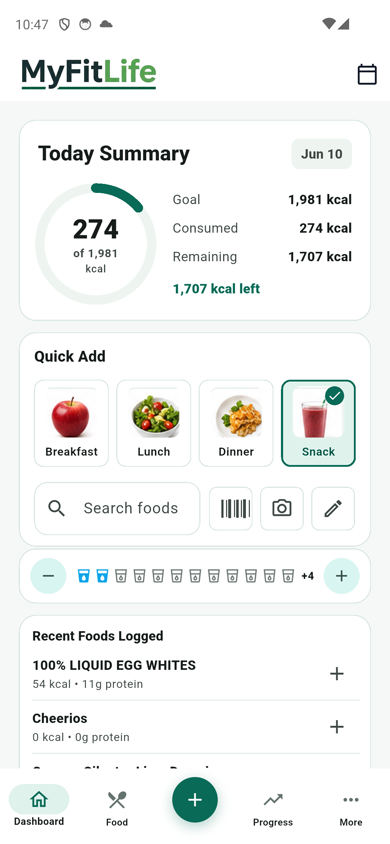
Can families share a nutrition app without sharing food logs? Yes. MyFitLife Family Annual lets one subscription owner extend Premium access to as many as five invited members, for six separate MyFitLife accounts in total. The shared object is the entitlement to use Premium features. Food logs, calories, macros, meal plans, weight history, fasting records, supplements, recipes, grocery items, Coach Milo history, and connected Health records stay attached to the account that created them. The family owner can manage seats and see limited roster details, but family membership does not create permission to open another person’s food or nutrition history.
Family Annual is a separate annual option that may appear in the iOS or Android app. Availability is confirmed in-app. The purchase screen supplied by the App Store or Google Play is the source of truth for the localized price, tax, renewal terms, and cancellation terms before purchase. Any price shown on the MyFitLife website is a U.S. reference, not a promise that every country, account, or storefront will show the same amount or offer.
What does a family nutrition subscription actually share?
A family nutrition plan has two very different kinds of sharing: sharing paid access and sharing personal data. Combining them by default would be a poor privacy model. A person may want the same Premium tools as a spouse, partner, parent, or adult household member without wanting that person to inspect meals, weight, fasting, or questions asked of an AI coach. MyFitLife therefore treats the household as an access relationship, not as one combined diary.
- One purchase can support six MyFitLife accounts: the owner plus up to five invited members.
- Each person signs in separately and keeps their own profile, targets, entries, and history.
- A family relationship can grant Premium status, but it does not change who owns a nutrition record.
- There is no household food diary, parent dashboard, automatic progress report, or shared Coach Milo transcript.
- An owner can remove a member, and an invited member can leave without transferring personal records.
How do three identity systems stay separate?
Three identity systems are involved. Apple or Google processes the purchase through the owner’s store account. RevenueCat synchronizes whether that purchase currently grants the MyFitLife Premium entitlement. MyFitLife’s backend then manages the household, invitations, seat count, and family-derived access for signed-in MyFitLife accounts. RevenueCat documentation describes an entitlement as a level of app access unlocked by a product; MyFitLife applies that idea narrowly. The owner’s active Family Annual entitlement answers whether a household member receives Premium, while the member’s own Firebase user ID continues to identify whose app data is being requested.
This separation matters across devices and platforms. Store accounts answer who paid, RevenueCat answers whether the paid product is active, and MyFitLife accounts answer whose food log is on screen. Those identifiers are related for authorization, but they are not collapsed into one family profile. The subscription owner does not become the owner of every member’s data.
How does MyFitLife keep each member’s records separate?
MyFitLife stores personal app records below an account-specific user path. Its Firestore rules compare the authenticated user ID with the user ID in that path before allowing a read. Nutrition days, meal plans, recent and saved meals, supplements, fasting, recipes, shopping lists, weight history, and profile records are owner-only. Paid collections use both conditions: the request must target the signed-in member’s path and that member must currently have paid access. Family Annual can satisfy the second condition; it does not bypass the first.
The same boundary applies to Premium history. A family member with active Premium can access their own saved Coach questions, Coach history, and eligible Health Central records. They do not receive a rule that reads those collections under the owner’s account or another member’s account. This follows the least-privilege and deny-by-default guidance described by OWASP and Firebase: grant the permission needed for the requested feature while leaving unrelated records unavailable.
How do MyFitLife family invite codes work?
An invite is a temporary authorization step, not a public household link. An active Family Annual owner asks MyFitLife to create a 12-character code. The backend returns the readable code to the owner, but stores the invite under a one-way digest rather than storing the raw code as the database key. The default validity window is 15 minutes, and deployment configuration can keep it within a bounded five-to-sixty-minute range. The recipient signs in to their own MyFitLife account before accepting it.
- Confirm that Family Annual is available and review the store purchase terms in-app.
- The owner opens Settings, checks the Family Owner status and available seats, then creates a new invite code.
- The intended member signs in to their own account and enters that code before it expires.
- The backend verifies the owner still has active Family Annual, the invite is unused, the household has room, and the recipient is eligible to join.
- After acceptance, both people refresh Family status. The member should see Premium shared through the owner, while their existing app records remain in their own account.
- Create a fresh code for each additional person; a successfully accepted code cannot be reused.
Why are seat changes handled as transactions?
Creating and accepting an invite changes several records together: the household roster, the member’s household link, and the invite’s used status. MyFitLife performs those checks and writes in a Firestore transaction. That is important when two people try to claim the last seat or when a request is repeated. Firestore transactions apply all writes only after a successful transaction, and MyFitLife rejects an expired or used code, a full household, self-invitation, an account already in another household, and a Family Annual owner attempting to join a second family. The six-seat limit is therefore enforced by authoritative state, not only by a number displayed on the phone.
What can the Family Annual owner see?
Family management requires a small amount of roster information. The owner’s family view can show a member’s display name, email address when present, role, seat count, and join timing so the owner can identify and remove the correct seat. An ordinary member receives family status for the owner relationship and their own membership, not the full owner-management roster in the mobile interface. The family relationship itself contains account identifiers and membership metadata. It does not contain a copy of a person’s meals, weight, fasting, supplements, Coach content, or Health history.
What happens when someone leaves or the subscription ends?
Family access changes when membership or billing changes, but personal records do not move between accounts. If the owner removes someone, or a member chooses Leave family, MyFitLife deletes that member’s household link and frees the seat. The former member loses family-derived Premium access but keeps the core Free tools and their own account data. If the owner’s Family Annual entitlement is inactive, family-derived Premium pauses until the entitlement is active again. Canceling through the store normally leaves access in place through the paid entitlement period shown by the store.
- A member leaving does not cancel the owner’s subscription.
- An owner removing a member does not delete that member’s MyFitLife account or nutrition records.
- Deleting a member account releases its family seat as part of account deletion.
- Deleting the owner’s account removes the household relationship and clears the membership links from invited accounts.
- The subscription owner cannot leave their own household as a member; subscription management remains with the store account used to purchase.
Why is this separate from Apple Family Sharing and Google Play Family Library?
MyFitLife invite codes are deliberately separate from Apple Family Sharing and Google Play Family Library. Apple offers a store-managed mechanism for eligible subscriptions when a developer enables it, and Apple documents support for the purchaser plus five family members. Google says Family Library does not share in-app purchases, and its family payment method cannot be used for subscriptions. Those platform rules also differ across ecosystems. MyFitLife’s app-owned household model supplies one consistent invitation and seat-management flow for separate MyFitLife accounts, without presenting a Google or Apple family group as the source of household membership.
This distinction avoids a common support error: joining an Apple or Google family group does not by itself join a MyFitLife Family Annual household. The MyFitLife owner must create a MyFitLife invite, and the recipient must accept it while signed in to the intended MyFitLife account. Likewise, accepting a MyFitLife invite does not change anyone’s Apple or Google family group.
What are the privacy and security boundaries?
Separate accounts reduce accidental household disclosure, but no online system can promise absolute security. Protect the store account that owns the subscription, each MyFitLife sign-in, and temporary invite codes. Share a code only with the intended person and generate a new one if it expires. Review the current MyFitLife Privacy Statement for the data collected to provide membership, authentication, subscription synchronization, and account features. The Federal Trade Commission’s mobile-health guidance also emphasizes understanding data flows and making privacy statements match actual product behavior.
The family owner should also understand the narrow visibility needed for seat administration: member identity and membership status are visible to the owner. That is different from health or nutrition sharing. If a household actually wants to exchange meal ideas or progress, each person should choose what to share through an intentional sharing method. Family Annual does not create clinical supervision, parental monitoring, medical consent, or access for a coach. MyFitLife is not intended for children under 13, and a family seat does not override the Privacy Statement, Terms of Use, app-store rules, or age requirements.
How do you set up a MyFitLife family?
- Compare the current Family Annual option with individual Premium in the app.
- Choose the MyFitLife account that should own the store purchase and keep access to that sign-in method.
- After the store confirms the purchase, refresh Settings until MyFitLife shows Family Owner and the correct seat count.
- Generate one invite for one intended member; do not post codes publicly or reuse a code.
- Have that person sign in to their own account, accept the invite, and confirm that Premium is shared through the family.
- Repeat with a new invite for each additional member, up to five invited accounts.
- Use the owner controls to remove an obsolete seat, or the member control to leave; use the store’s subscription screen to manage renewal or cancellation.
The MyFitLife answer
Yes. MyFitLife Family Annual shares Premium access without turning six people into one nutrition profile. The owner purchases an eligible Family Annual plan when it is offered in-app, then uses short-lived, single-use MyFitLife invite codes to add as many as five other accounts. Backend transactions enforce membership and the six-seat limit. At authorization time, the owner’s active entitlement can grant a member Premium, but every nutrition and wellness request still runs under that member’s own authenticated account.
That is the practical privacy boundary: share the subscription, not the diary. Owners get the limited roster details needed to manage seats; members keep separate food logs, goals, weight, fasting, supplements, recipes, Coach history, and Health data. Removal, leaving, expiration, and account deletion change entitlement or membership state without transferring another person’s records. Check the app for current availability and localized purchase terms, then use one MyFitLife account and one invite per person.
Sources and further reading
- MyFitLife Premium MyFitLife
- MyFitLife Terms of Use MyFitLife
- MyFitLife Privacy Statement MyFitLife
- Turn on Family Sharing for In-App Purchases Apple Developer
- Use Google Play Family Library Google Play Help
- Use a family payment method on Google Play Google Play Help
- Entitlements RevenueCat
- Users in Firebase Projects Firebase
- Writing conditions for Cloud Firestore Security Rules Firebase
- Transactions and batched writes Firebase
- Authorization Cheat Sheet OWASP Foundation
- Mobile Health App Interactive Tool Federal Trade Commission
Related articles
- What Premium Adds to MyFitLife
- Can an AI Nutrition Coach Guide You to the Right App Screen Without Changing Your Data?
- How Accurate Are AI Food-Photo Calorie Estimates—and When Should You Trust Them?
Install free. Keep the core tracker free.
Log food, scan barcodes, track macros, and review progress without starting a subscription.