Can You Delete Synced Health Data Without Deleting Apple Health or Health Connect?
See how MyFitLife deletes its synced activity copy without erasing original Apple Health or Health Connect records—or the rest of your account.
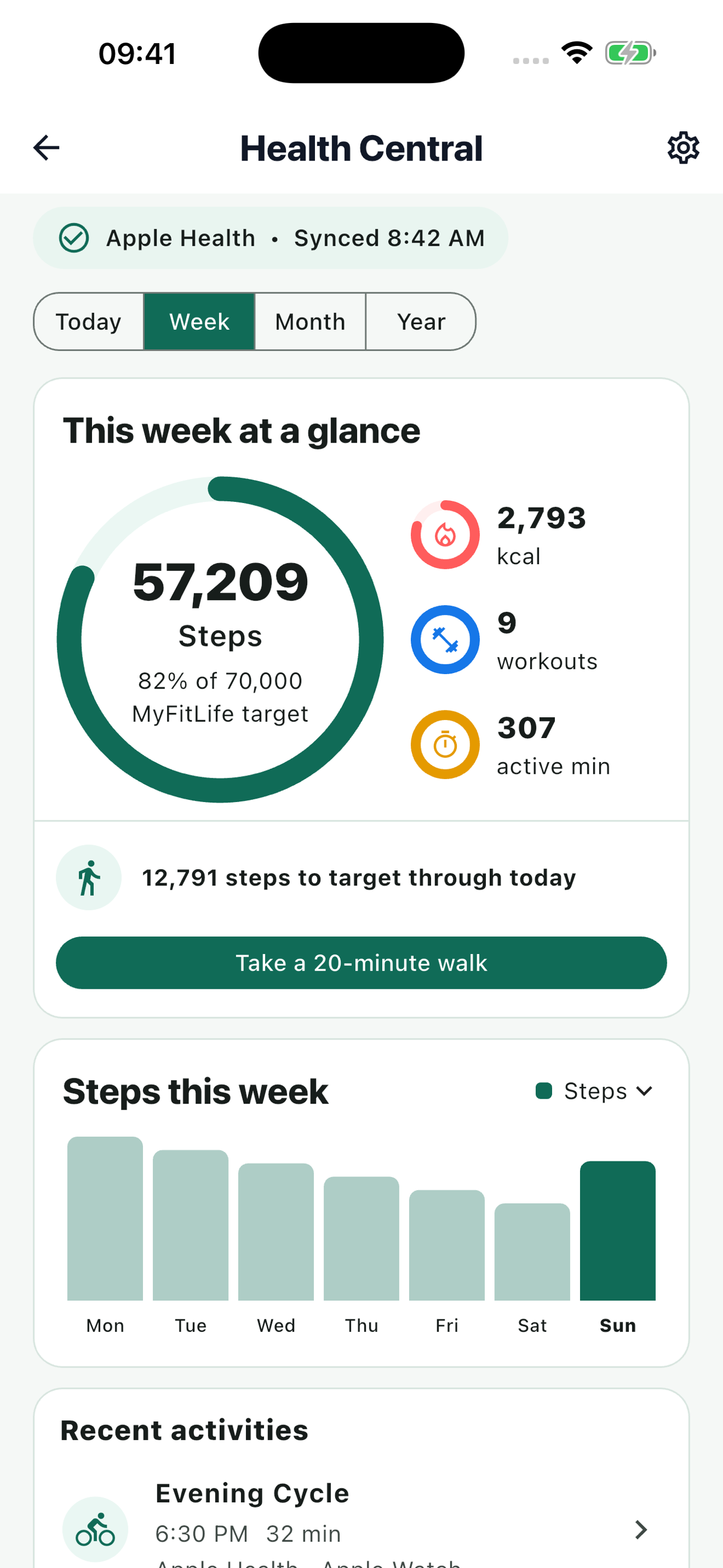
Can you delete synced health data without deleting Apple Health or Health Connect? Yes. MyFitLife provides a Health-only disconnect and delete action that removes MyFitLife's synced activity records, connected-source settings, and Health-derived target history while leaving the original records in Apple Health or Health Connect alone. Revoking a platform permission, deleting MyFitLife's copy, and deleting your entire MyFitLife account are three different actions, so the right choice depends on what you want to stop or remove.
That distinction matters because a health platform and a connected app can each hold a different record. Apple Health or Health Connect may receive activity from a phone, watch, or another app. After permission is granted, MyFitLife can read a narrow subset and store bounded summaries for its own Health Central experience. Turning off access at the platform prevents future reads, but it does not reliably recall information an app already received. Google explicitly advises that other apps or devices may retain copies and may need their own deletion action.
Health Central is available in the current public MyFitLife listings on iOS and Android as of September 11, 2026. The App Store lists version 1.3.7, and Google Play describes Build 31 with Premium Health Connect features. Availability still depends on platform, a compatible device, granted permissions, and Premium access. The authenticated web deletion path at myfitlife.ai/delete-account is also available for Health-only or full-account deletion.
Start with the three separate controls
A clear deletion decision starts by naming the layer you mean. “Disconnect my tracker” can refer to permission, copied records, or the account itself. Treating those as synonyms can leave data behind or delete more than intended.
- Platform permission revocation changes whether MyFitLife may read Apple Health or Health Connect on that device. It does not, by itself, delete MyFitLife records already synchronized to the account.
- MyFitLife Health-only disconnect and delete calls the authenticated fitness-deletion workflow. It removes MyFitLife-held Health data and connection preferences without deleting the MyFitLife account or the provider's original activity records.
- Full MyFitLife account deletion is the broader authenticated workflow. It removes the user's MyFitLife account data and authentication account; it still does not delete the original records held by Apple Health or Health Connect.
What permission revocation does—and does not do
Apple and Android give users system-level control over health access. In Apple Health and iOS privacy settings, a user can review an app's allowed categories and change access. In Health Connect, App permissions can revoke all access for one app or change specific data-type permissions. Those controls govern the platform connection. They are the right tools when the goal is “do not let this app read new activity from this device.”
They are not an app-copy eraser. Health Connect documentation states that removing data permissions does not remove stored data, and its user guidance warns that connected apps may retain copies. Apple similarly designs health authorization around user-controlled categories, while intentionally limiting what an app can infer about denied read access. MyFitLife therefore cannot treat an empty read as proof that the user revoked access, that the provider has no records, or that previously synchronized MyFitLife records should be deleted.
Apple does not provide a general programmatic way for a third-party app to revoke its own read permission on the user's behalf. MyFitLife can clear its connection and records, but an Apple user should also review MyFitLife under the Apple Health sharing controls when the goal includes changing platform authorization. On Android, an in-app revocation attempt can still fail when Health Connect is unavailable. The MyFitLife server deletion remains the authoritative action for removing the MyFitLife copy.
What MyFitLife Health-only deletion removes
Health Central's disconnect and delete action sends an authenticated request to MyFitLife's backend-owned DELETE /fitness/data endpoint. The backend—not a direct mobile database write—removes the account's fitnessDaily, fitnessWorkouts, and fitnessSources records and clears its fitness preferences. That scope includes the connected-source state, synchronized daily activity summaries, retained workout details, derived activity-calorie targets, and older target-only records associated with the Health integration.
After the server operation, the mobile app reloads server status and resets its controller-level last-sync and provider-insight state. It attempts to revoke device authorization only when the connected provider matches the current device; Apple read authorization still requires the user to change Apple Health sharing controls manually. The app reports completion only after the MyFitLife request returns successfully. Because collection cleanup is executed in bounded operations, an interrupted request can leave the resulting state unclear; retry the deletion and contact support if the connection or records still appear.
The same Health-only operation is available at myfitlife.ai/delete-account. Sign in, complete fresh reauthentication with the linked password, Google, or Apple provider, and separately confirm Health-only deletion. The web flow deletes MyFitLife-held Health records but cannot revoke Apple Health or Health Connect permission on the phone, so device authorization remains a separate platform action.
- Removed from MyFitLife: synchronized daily steps and active-calorie summaries, retained workout rows, source and sync metadata, fitness preferences, and Health-derived target history.
- Not removed: meals, water, fasting, supplements, recipes, ordinary progress records, the MyFitLife sign-in, or the MyFitLife subscription account.
- Not removed from the provider: the original step, active-energy, or workout records stored in Apple Health or Health Connect.
Why original provider records remain
MyFitLife uses read-only provider access for its supported activity categories. It does not own a workout recorded by an Apple Watch, phone, wearable, or another Android app merely because it synchronized a summary. Deleting the MyFitLife copy therefore must not erase the upstream record or make assumptions about who created it. If a user wants to remove an original entry, that decision belongs in Apple Health, Health Connect, or the source app that created the data.
Health Connect allows deletion by category, data type, entry, time period, or contributing app. Its guidance also explains that deleting from Health Connect may not remove another app's copy. Apple Health lets users review and manage contributing sources and records. These platform controls complement MyFitLife deletion; they do not replace it. A complete cleanup may require separate, deliberate actions at each place where a copy exists.
Retention windows explain what may exist in MyFitLife
MyFitLife bounds Health storage instead of retaining every provider sample indefinitely. Daily aggregate activity records can remain for up to 400 local calendar dates. Detailed workout rows are limited to the current 30 local dates. Current-day hourly chart arrays and provider-specific ring or intensity summaries are presentation data and are not persisted through the fitness synchronization contract.
After the 400-local-date aggregate window, a qualifying record can be reduced to a target-only projection. That projection keeps only fields needed to explain the historical MyFitLife calorie target, such as the target date, policy version, adjustment status, base target, active-calorie credit, and effective target. It does not keep raw steps, active calories, workout identifiers, provider source, time zone, workout counts, or sync timestamps. Health-only deletion removes those target-only records too; waiting for retention is not required.
Mismatched-device safety prevents the wrong provider from being touched
One MyFitLife account has one active health provider. Opening the account on a device from the other platform must not authorize, read, synchronize, or revoke its unrelated local provider as though both connections were the same. Health Connect remains an Android platform, Apple Health remains an Apple platform, and this guide does not present either one as a cross-platform synchronization bridge.
During Health-only deletion, MyFitLife first removes its backend records. It attempts local authorization cleanup only when the account's connected source matches the device provider. This prevents deleting an Android-connected account from causing an iPad to request or manipulate Apple Health access, and prevents the reverse case on Android. Switching providers is explicit: remove the current MyFitLife Health connection, then connect the provider available on the new device. MyFitLife does not silently merge parallel Apple Health and Health Connect feeds.
Connection, calorie adjustment, and Coach sharing are separate choices
Connecting a health provider does not automatically change a calorie target or share activity with Coach Milo. MyFitLife stores calorie adjustment and Coach sharing as two separate user-controlled preferences, and both default off. The calorie option controls whether provider-reported active calories contribute to the MyFitLife daily target. The Coach option controls whether a minimal daily activity summary can enter Coach context for an eligible account.
Turning either option off is useful when the goal is to stop a use while keeping Health Central connected. It is not deletion. Prior target history and synchronized activity remain until retention removes detail or the user chooses Health-only deletion. This separation avoids turning one preference switch into an ambiguous data-destruction control.
Premium access does not block disconnect or deletion
Health Central connection, synchronization, calorie adjustment, and Coach activity sharing are Premium features. Privacy controls follow a different rule: disconnect and Health-only deletion remain available when Premium is inactive. A user should not need to renew a subscription to remove a connected source or delete synchronized Health records. Historical Health presentation may pause without Premium, but an invisible record is not the same as a deleted one.
Full account deletion is broader than Health-only deletion
Choose full account deletion only when the goal is to remove the MyFitLife account and its associated data, not merely disconnect activity. The authenticated account-deletion workflow may require fresh reauthentication. It removes the MyFitLife user data tree, owned stored files, and authentication account after required checks. Health records are included because they are part of that account, but the source records in Apple Health or Health Connect remain outside MyFitLife and are not deleted.
This broader action also affects nutrition history, recipes, preferences, and other account-owned information. Review the confirmation carefully and use Health-only deletion when the account should remain. If platform records also need removal, manage them separately in Apple Health, Health Connect, or the originating app.
Neither Health-only deletion nor full MyFitLife account deletion cancels or refunds an App Store or Google Play subscription. Subscription management remains a separate action in the store account used to subscribe, and deleting the app from a phone is not a subscription cancellation.
A practical deletion checklist
- Decide whether you want to stop future reads, remove MyFitLife's copy, delete original provider entries, or close the whole MyFitLife account.
- For future access only, review MyFitLife in Apple Health or Health Connect permissions and revoke the categories you no longer want to share.
- To remove MyFitLife Health records while keeping the account, use Health Central's disconnect and delete action or the authenticated Health-only option at myfitlife.ai/delete-account. Confirm that the operation reports completion.
- On Apple devices, review the Apple Health sharing control separately because an app cannot generally revoke its own read permission programmatically.
- On Android, use Health Connect's data tools only if you also intend to delete provider-side entries. Remember that other apps may retain their own copies.
- Use full MyFitLife account deletion only when you intend to remove the entire account and its non-Health data as well.
Accuracy, privacy, and wellness boundaries
A deletion status describes software state, not a medical conclusion. Removing activity data does not change what occurred, and keeping it does not make a wearable estimate clinically exact. MyFitLife is a general-wellness product, not a medical record system, diagnostic tool, or substitute for professional care. Do not preserve or delete records solely to support a health conclusion; keep any records required by a clinician or another service according to that service's guidance.
The Federal Trade Commission’s Mobile Health Apps Interactive Tool is a governance reference for understanding which privacy and security obligations may apply; it is not proof of how any particular product works. MyFitLife’s current Privacy Statement, deletion page, authenticated endpoint behavior, and completed deletion status are the product-specific sources to review when deciding whether its public promises match the implemented flow.
Mobile availability can vary by app version, device support, permission state, and release status. Before relying on an in-app deletion control, verify that the current app shows the expected connected provider and that the completion state is clear. The live web deletion page provides a separate authenticated path. Review the MyFitLife Privacy Statement for current practices and use support if either flow cannot complete the request.
The MyFitLife answer
Yes—you can remove synced Health data from MyFitLife without deleting the original records in Apple Health or Health Connect. Use Health-only disconnect and delete in Health Central or the authenticated Health-only option at myfitlife.ai/delete-account to remove MyFitLife's daily activity summaries, workout details, source configuration, preferences, and Health-derived target history while keeping the rest of the MyFitLife account. Review platform permissions separately when you also want to stop future access.
The dependable answer is separation of responsibility. Platform settings govern platform access and provider-side records. The authenticated MyFitLife fitness endpoint governs MyFitLife's copy. Full account deletion governs the entire MyFitLife account. Mismatched-device safeguards keep an unrelated provider untouched, separate opt-ins prevent connection from silently enabling calorie or Coach use, and deletion remains available without Premium. Choosing the layer deliberately gives the user control without pretending that one switch can erase every copy everywhere.
Sources and further reading
- HealthKit: Privacy Protection and Editorial Guidance Apple Developer
- Authorizing Access to Health Data Apple Developer
- HealthKit Apple Developer
- Manage Health Data on Your iPhone, iPad, or Apple Watch Apple Support
- Learn About Health Connect Android Help
- Manage Connected Apps in Health Connect Android Help
- Delete Your Data From Health Connect Android Help
- Permissions and APIs That Access Sensitive Information Google Play Console Help
- Permissions and data access Android Developers
- Mobile Health Apps Interactive Tool Federal Trade Commission
- MyFitLife Privacy Statement MyFitLife
- MyFitLife Account and Health Data Deletion MyFitLife
- MyFitLife Health Disclaimer MyFitLife
- MyFitLife: Food Logger on the App Store Apple App Store
- MyFitLife: Food Logger on Google Play Google Play
Related articles
- How to Connect MyFitLife to Apple Health or Health Connect
- Can a Nutrition App Sync Apple Health and Health Connect Activity?
- How Does a Calorie Tracker Avoid Double-Counting Exercise Calories?
Install free. Keep the core tracker free.
Log food, scan barcodes, track macros, and review progress without starting a subscription.